
Managing multiple social media accounts is not simple. Switching personalities, tone and messaging is challenging enough. Add in the varying permissions, login requirements and [alleged] hacking potential for the difference social media networks, and you’ve got a major migraine (and a recipe for a social media management fail).
Instagram is helping to solve one of these headaches. Now, you can add additional accounts to your Instagram app, and switch between the accounts to post images and engage with others. Can we all say, “FINALLY!”
Adding additional accounts is extremely easy. Simply go to your profile settings and scroll to the bottom to find “Add Account.”

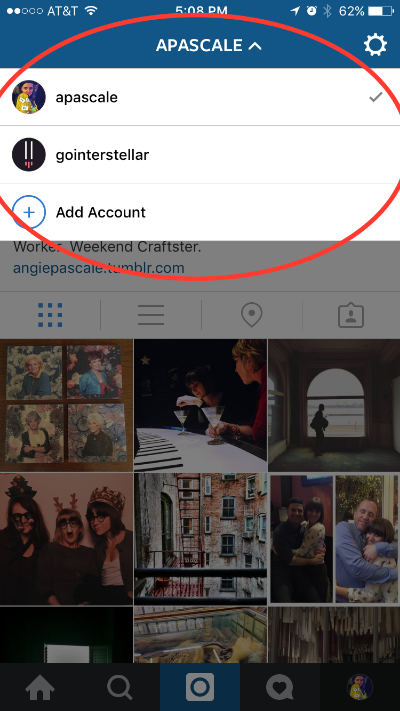
Once you add a second account, you can tap you username at the top of the profile to switch between accounts or add others. Your profile photo will appear in the bottom right corner so you know which account you’re using at the moment.
Additional accounts are available for anyone using version 7.15 of Instagram on Android and iOS.
